
#1 Ultimate GSIS UMID eCard Requirements Philippines 2026 (Complete & Easy Guide)
If you recently conquered the Civil Service Exam Requirements Philippines 2026 and finally secured your dream permanent position in a national government agency or local government unit (LGU), congratulations! You have officially entered public service. However, before you can receive your first government paycheck or apply for a salary loan, your HR department will demand one critical plastic card: the GSIS UMID eCard.
The Government Service Insurance System (GSIS) manages the pensions, life insurance, and salary disbursements for millions of public school teachers, police officers, and civil servants. The GSIS UMID eCard is not just a standard identification card; it is a highly secure, microchip-enabled ATM card directly linked to either LandBank of the Philippines (LBP) or UnionBank. If you do not process this correctly, your monthly salary will literally have nowhere to go.
In 2026, GSIS drastically modernized its application and activation protocols, shifting heavily toward the GSIS Touch Mobile App and the GWAPS kiosk network. If you follow outdated guides from 2022, your application will get stuck in bureaucratic limbo. As your definitive authority on Philippine government transactions, RequirementPH has built this foolproof, comprehensive masterclass.
We will break down the exact GSIS UMID eCard Requirements Philippines 2026, teach you how to navigate the biometric capture process, explain how to activate your card via a GWAPS kiosk, and warn you about the Facebook syndicates trying to steal your first salary.
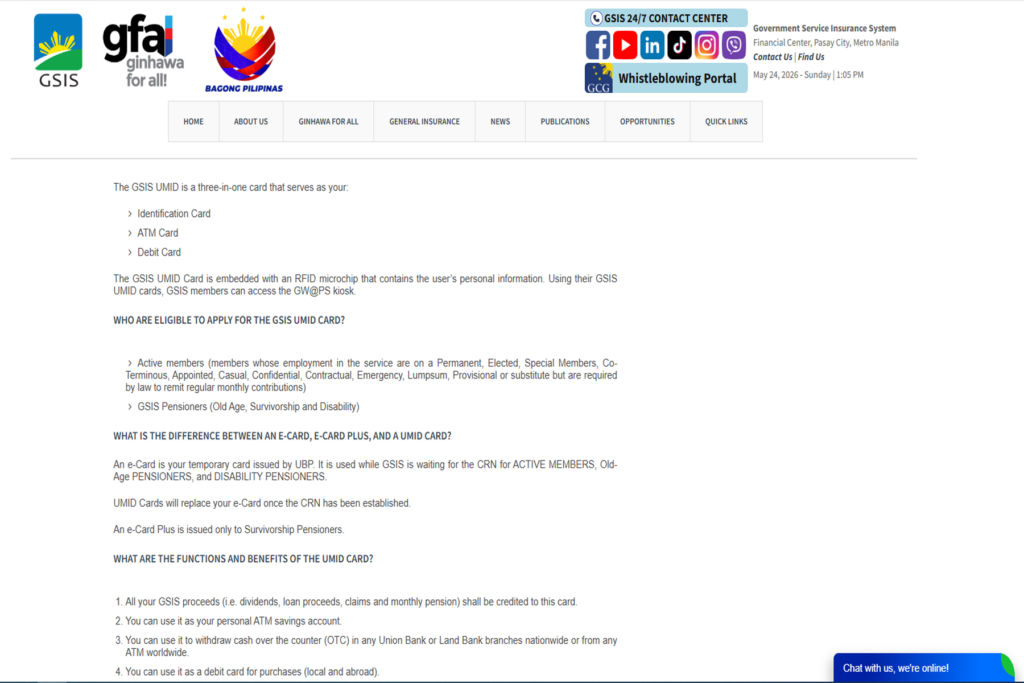
The 2026 Reality: SSS UMID vs. GSIS UMID eCard
A massive point of confusion for newly hired government employees who previously worked in the private sector is the difference between the SSS and GSIS cards.
If you worked in a private corporation, you contributed to the Social Security System (SSS) and likely hold an SSS UMID Card. You cannot use your SSS UMID to receive your government salary.
Once you transfer to the public sector, you are mandated by law to contribute to GSIS. You must apply for a brand new GSIS UMID eCard. While they look similar and both act as Unified Multi-Purpose IDs (UMID), their internal banking chips are coded to entirely different government databases. The GSIS card doubles as your official government ATM card for all state-mandated disbursements, calamity loans, and eventual retirement pensions.
Strict Eligibility: Who Can Apply?
You cannot simply walk into a GSIS branch and ask for an eCard just to have a valid ID. You must strictly meet the following eligibility criteria:
- Active Government Employees: You must be a newly hired or existing employee of a national government agency, LGU, or Government-Owned and Controlled Corporation (GOCC).
- Permanent, Contractual, or Casual Status: As long as your agency legally remits the mandatory GSIS premium deductions from your salary, you are required to have this card. (Note: Job Order or “JO” personnel are generally not covered by GSIS and therefore cannot apply).
- Old-Age Pensioners: Retired government employees receiving monthly pensions from GSIS must also maintain an active eCard to receive their funds.
Core GSIS UMID eCard Requirements Philippines 2026
Before you proceed to the biometric enrollment, you must prepare the following physical documents. Bring the original copies and at least two (2) clear photocopies of each.
1. Your GSIS Business Partner (BP) Number
You cannot apply for the ID if you do not exist in the GSIS master database. When you are hired, your Agency Authorized Officer (AAO) or HR department will submit your records to GSIS to generate your unique 10-digit Business Partner (BP) Number. You must ask your HR for this number before visiting the GSIS branch.
2. Duly Accomplished UMID eCard Application Form
You must fill out the official GSIS UMID eCard Application Form. You can download this from the official GSIS website (gsis.gov.ph) or request a copy from your HR department. Ensure it is filled out in ALL CAPS using a black ballpoint pen. Do not use correction fluid.
3. Two (2) Valid Primary IDs
GSIS is incredibly strict regarding identity verification to prevent pension fraud. You must present two highly secure government IDs. Accepted IDs include:
- PhilSys National ID (Physical PVC or ePhilID)
- Philippine Passport
- Driver’s License
- PRC ID (Highly recommended for teachers and nurses)
- Voter’s ID or Postal ID
4. Official Agency ID (For Active Employees)
You must bring your newly issued Office or Company ID provided by your government agency, properly signed by your head of office.
Step-by-Step Guide: The eCard Application Process
Do not let the government bureaucracy intimidate you. By following this exact sequence, you can process your GSIS UMID eCard Requirements Philippines 2026 smoothly without getting bounced back to your HR department.
Phase 1: Biometric Enrollment at GSIS
- Verify Your Status: Confirm with your HR (Agency Authorized Officer) that your BP Number is active and your electronic records have been successfully transmitted to the GSIS headquarters.
- Visit a GSIS Branch: Go to the nearest GSIS Branch Office or a designated GSIS enrollment center in your province. Walk-ins are typically accommodated for eCard enrollment.
- Submit Documents: Present your accomplished application form and valid IDs to the GSIS evaluator. They will verify your BP number in their system.
- Biometrics Capture: You will be directed to the Data Capture station. The GSIS officer will take your digital photograph, scan your fingerprints on a glass biometric scanner, and capture your electronic signature. (Dress Code strictly enforced: Wear a collared shirt. Remove earrings, necklaces, hats, and colored contact lenses).
- Choose Your Bank: You will be asked to choose your preferred servicing bank—usually between LandBank of the Philippines or UnionBank. (Check with your HR to see if your specific agency mandates a specific bank for payroll).
- Get the Claim Stub: The officer will issue a printed claim stub. Keep this safe! You will need it to claim the physical card.
Phase 2: Claiming Your Physical Card
Unlike the SSS which mails the card to your house, the GSIS eCard requires high-security verification. It usually takes 15 to 30 working days for the bank to print the smart-chip card.
- Wait for Notification: You will receive an SMS text message from GSIS or the servicing bank when your card is ready for pick-up. You can also track the status using the GSIS Touch Mobile App.
- Return to GSIS: Go back to the specific GSIS branch where you enrolled.
- Present Requirements: Hand over your Claim Stub and present your Valid ID to the releasing window.
- Receive the Card: You will receive a sealed envelope containing your GSIS UMID eCard and your default PIN mailer.
Phase 3: Activation via GWAPS Kiosk
Your card is entirely useless until it is biometrically activated. You cannot activate it at a normal bank ATM.
- Find a GWAPS (GSIS Wireless Automated Processing System) Kiosk. These are large, standalone machines located inside GSIS branches, major provincial capitols, city halls, and some large DepEd offices.
- Place your new eCard on the kiosk’s card reader.
- The screen will prompt you to place your registered finger (usually the right thumb or index finger) on the biometric scanner.
- Once your fingerprint matches the master database, the machine will officially activate the card.
- Finally, go to any LandBank or UnionBank ATM and change the default PIN to a secure 6-digit number of your choice. Your card is now ready to receive your salary!
Troubleshooting: What if You Lost Your GSIS eCard?
If you lose your GSIS UMID eCard, you must act immediately to prevent unauthorized access to your salary or pension funds.
To process a replacement, you must add the following to your GSIS UMID eCard Requirements Philippines 2026 folder:
- Notarized Affidavit of Loss: You must visit a Notary Public and execute a sworn statement detailing exactly how and when you lost the card.
- Bank Notification: Call LandBank or UnionBank immediately to block the ATM functionalities of the lost card.
- Replacement Fee: Visit your GSIS branch with the Affidavit of Loss and pay a replacement card fee of ₱250.00 at the cashier. You will undergo the biometric capture process again to generate a new card.
The Must-Have 2026 Upgrade: The GSIS Touch App
You no longer need to visit a GWAPS kiosk just to check if your salary or loan has been credited. The GSIS strongly mandates all active members to download the GSIS Touch mobile app from the Google Play Store or Apple App Store.
By registering your BP number in the GSIS Touch app, you can instantly view your Statement of Account (SOA), apply for emergency and calamity loans entirely online, and monitor your mandatory premium payments. It is the ultimate digital companion to your physical eCard.
WARNING: Beware of Facebook Loan Fixers
As the premier authority on government compliance, we must issue a severe warning regarding a massive black market operating on social media.
Because government employees have access to highly lucrative GSIS salary loans and calamity loans, syndicates on Facebook actively hunt for new civil servants. They will offer: “Rush GSIS Loan Processing! No appearance. Guaranteed approval. Just send us your GSIS eCard details and BP number.”
This is a highly illegal and devastating trap. Do not engage with them.
These scammers are committing digital identity theft. If you give them your BP number, eCard details, or OTPs, they will log into the GSIS Touch portal, apply for a massive multi-purpose loan under your name, and route the funds to their own dummy bank accounts. You will be stuck paying off a ₱100,000 loan for years through automatic salary deductions for money you never received. Never share your GSIS credentials. Process your loans legally through the official GWAPS kiosks or your secured GSIS Touch app.
⚠ Important Notice and Disclaimer
RequirementPH is an independent, privately-run educational platform. Our core mission is to simplify complex government transactions, eradicate bureaucratic confusion, and protect public servants from predatory scams while gathering their GSIS UMID eCard Requirements Philippines 2026. We are NOT affiliated, associated, authorized, endorsed by, or in any way officially connected with the Government Service Insurance System (GSIS), LandBank of the Philippines, UnionBank, or any specific government agency.
While we research tirelessly to provide the most accurate, up-to-date guide, specific processing timelines, replacement fees, and GWAPS kiosk locations are subject to change based on official GSIS Memorandum Circulars. To read the exact legal texts regarding the GSIS Act of 1997 (RA 8291), you may consult the Official Gazette. For official account tracking, loan applications, or verifying your BP Number, please transact directly through your HR (AAO), the official GSIS Touch App, or the GSIS eGSISMO portal.
Your Next Steps & Related Master Guides
Securing your GSIS eCard is the final step in establishing your identity as a legitimate Philippine government employee. Now that your state insurance is handled, ensure your other fundamental government documents are active and updated. Check out our other highly detailed master guides:
- Complete Government ID Requirements Philippines 2026 (The Big 6 Primary IDs)
- NBI Clearance Online Appointment Guide 2026 (Skip the Line)
- TIN ID Online Registration Philippines 2026 (Easy BIR ORUS Guide)
- PhilHealth Online Registration Philippines 2026 (Step-by-Step Guide)
- Pag-IBIG Online Registration Philippines 2026 (Complete Housing Guide)
- Change of Status Requirements Philippines 2026 (Fast & Easy)