
#1 Ultimate PhilHealth MDR Form Philippines 2026 (Easy & Fast Guide to Download and Update)
Securing your official PhilHealth MDR Form Philippines 2026 printout is one of the most critical administrative tasks you must complete to guarantee seamless health insurance coverage and corporate onboarding. Navigating the Philippine healthcare and employment systems can often feel like an endless maze of acronyms and paperwork. Whether you are a fresh graduate stepping into your first corporate role, an expectant mother preparing for hospital delivery, or a freelancer trying to secure your voluntary benefits, there is one critical document you will be asked for repeatedly: the printed PhilHealth Member Data Record.
Many Filipinos mistakenly believe that simply knowing their 12-digit PhilHealth Identification Number (PIN) or holding a physical philhealth id card (or basic philhealth card) is enough. It is not. Under the strict implementation of the Universal Health Care Act (Republic Act No. 11223), hospitals, clinics, and corporate HR departments require comprehensive proof of your active coverage and your declared legal dependents. Without this official document, your employer cannot legally process your payroll deductions, and hospitals will not deduct the massive state subsidies from your final medical bill, leaving you with crippling out-of-pocket expenses.
If you rely on outdated information, you will waste hours lining up at a Local Health Insurance Office (LHIO) for a document you could have generated at home in three minutes. As your definitive authority on government compliance, REQUIREMENTS PH has built this foolproof, comprehensive masterclass guide. We will break down exactly how to secure your PhilHealth MDR Form Philippines 2026, guide you through the online downloading process, explain the exact requirements needed to add your dependents, and ensure your health coverage is perfectly aligned with your current civil status.
What Exactly is the PhilHealth MDR Form Philippines 2026?
Before diving into the download steps, you must understand what this document is and why it holds so much administrative power. The Member Data Record (MDR) is an official, system-generated document issued by the philippine health insurance corporation that acts as your comprehensive health insurance profile.
It explicitly details the following critical information:
- Your PhilHealth Identification Number (PIN): Your permanent 12-digit account number assigned during your initial philhealth registration.
- Your Demographic Data: Your full legal name, date of birth, gender, and current registered home address.
- Your Membership Category: Whether you are registered under the Formal Economy (Private/Government employee), Informal Economy (Voluntary/Freelancer/Self-Employed), Sponsored Member, Senior Citizen, or Lifetime Member.
- Your Qualified Dependents: This is the most vital section. It lists the full names and birthdates of your legal dependents (spouse, children, elderly parents) who are entitled to share your state health care benefits without paying separate monthly premiums.
Why HR Departments and Hospitals Demand Your MDR
You might wonder why you cannot just present a philhealth id card. The reason is simple: the standard paper or PVC card only displays your name and PIN. It does not prove that your account is active, it does not state your membership category, and it completely omits your legal dependents.
When you submit your PhilHealth MDR Form Philippines 2026 to your new employer, the HR department uses it to verify that your PIN is authentic and that you are properly classified so they can legally remit your monthly premium contributions. When you present it to a hospital billing department during a medical emergency, they use the dependent list to verify if your sick child or elderly parent is legally covered by your account under state health insurance guidelines.
Method 1: How to Download Your PhilHealth MDR Form Philippines 2026 Online
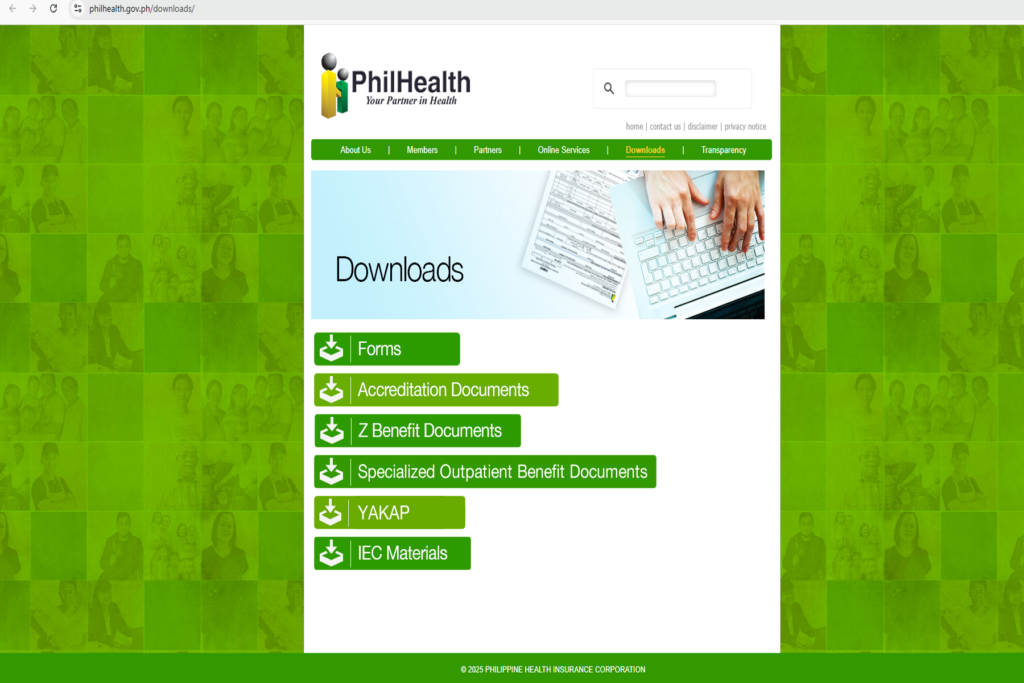
You no longer need to spend money on transportation to visit a physical office just to get a printed copy. By utilizing the official philhealth online services, you can generate your document in minutes. Follow this exact sequence to download your philhealth mdr online copy directly in PDF format from the comfort of your home.
Step 1: Access the Official Portal
Open a secure browser on your laptop or smartphone and visit the official PhilHealth Website or navigate directly to the PhilHealth Member Portal. Make sure you are accessing the legitimate philhealth portal to keep your personal data secure.
Step 2: Account Login or Portal Registration
If you already have an active account, proceed with your philhealth login by entering your 12-digit PIN and your password. Answer the security captcha and click “Log In.”
If you do not have an account yet: You must complete your philhealth online registration for portal access first. Click on “Register / Create Account.” You will be asked to enter your PIN, active email address, mobile number, and set a password. After confirming the verification link sent to your email, your philhealth member portal account will be activated, allowing you to log in anytime.
Step 3: Navigate to the MDR Section
Once you are successfully logged into your dashboard, look at the main navigation menu. Click on the option clearly labeled “Print MDR” or “View Member Data Record.”
Step 4: Generate and Save the PDF
The system will instantly generate your official PhilHealth MDR Form Philippines 2026. A new browser tab will open displaying your complete document in PDF format. Click the “Download” icon to save the file to your computer or smartphone, or click the “Print” icon to print it immediately on standard A4 or Letter-sized paper.
Crucial Note: This electronically generated mdr philhealth document is universally accepted by all corporate HR departments, government agencies, and accredited hospitals nationwide. You do not need to have it stamped or physically signed by an officer.
Method 2: Requesting Your MDR via Walk-In Branch Visit
If you forgot your portal password, do not have internet access, or need to physically update your records at the counter, you can secure your document the traditional way by visiting an office.
- Locate an Office: Find the nearest PhilHealth Local Health Insurance Office (LHIO) or PhilHealth Express counter (commonly located inside major malls such as SM or Robinsons).
- Perform a Status Check: Ask the information officer for a quick philhealth check to verify if your account is active.
- Present Requirements: Submit one (1) primary Valid Government ID (such as your PhilSys National ID, Passport, or UMID) alongside your 12-digit PIN. Make sure you meet all basic philhealth requirements for identity verification.
- Claim Your MDR: The officer will verify your details in the database, print your philhealth mdr form on the spot, apply an official branch stamp, and hand it to you. This service is 100% free of charge.
How to Update Your PhilHealth MDR Form Philippines 2026 (Adding Dependents)
Downloading your MDR is easy, but what if you generate the PDF and realize your newly born child, newly wedded spouse, or aging parents are not listed under the “Qualified Dependents” section? If their names are missing from that printed piece of paper, hospital billing departments will refuse to apply your benefits to their medical bills during an emergency.
You cannot simply edit the PDF document yourself. To legally add dependents or update your civil status, you must submit a formalized amendment request using the official Member Registration Form (PMRF) philhealth form.
Who Qualifies as a Legal Dependent?
Under the Universal Health Care Act, you can attach the following qualified dependents to your primary account without paying extra monthly premiums:
- Legitimate Spouse: Must be a non-member, or an active member whose account has lower coverage tier options.
- Children: Legitimate, legitimated, adopted, or stepchildren who are unmarried, unemployed, and below 21 years of age. (Children 21 years old and above who suffer from physical or mental disabilities that make them completely dependent on you also qualify).
- Parents: Biological or adoptive parents who are 60 years old and above, whose monthly income is below the threshold set by the corporation, and who are not enrolled as active primary members themselves.
Documentary Requirements for Updating Your MDR
To successfully execute an update on your PhilHealth MDR Form Philippines 2026, you must fill out the PMRF philhealth form, check the box marked “Updating/Amendment,” and attach the corresponding legal supporting documents:
- To Add a Spouse: Submit a clear photocopy of your official PSA Marriage Certificate.
- To Add a Child: Submit a clear photocopy of the child’s official PSA Birth Certificate.
- To Add a Senior Citizen Parent (60+): Submit a clear photocopy of your own PSA Birth Certificate (to legally establish biological filiation) AND a photocopy of your parent’s Senior Citizen ID or birth certificate.
How to Submit Your Updating Form
You can submit your filled-out PMRF and supporting documents by physically visiting any LHIO branch. Alternatively, if you want to philhealth apply online for updates, select regional offices allow you to email your scanned PMRF and supporting attachments directly to their official Action Center email address. Once processed, you can log back into the philhealth member portal to download your updated MDR displaying your new dependents.
Summary Comparison Table: Online vs. Walk-In MDR Processing
Use this quick reference table to decide the best method for obtaining or updating your PhilHealth MDR Form Philippines 2026:
| Processing Category | PhilHealth Member Portal (Online) | Local Health Insurance Office (Walk-In) |
|---|---|---|
| Primary Purpose | Instant download & printing of existing MDR | MDR retrieval, record updating, first-time registration |
| Processing Fee | FREE | FREE |
| Turnaround Time | Instant (3 to 5 minutes) | Same day (Subject to queue lines) |
| Requirements Needed | PIN, registered password, device with internet | 1 Valid Government ID, PIN |
| Dependent Updates | View existing dependents; submission via email in select regions | Immediate processing upon PMRF & document submission |
| Official Acceptance | 100% Accepted by HR & Hospitals nationwide | 100% Accepted (Stamped copy provided) |
Troubleshooting: Changing Your Name After Marriage
If you recently got married and wish to update your maiden name to your husband’s surname on your official records, your old MDR becomes legally invalid for new corporate onboarding or payroll processing.
To execute this specific PhilHealth MDR Form Philippines 2026 amendment, you must complete the PMRF. Under “Purpose,” check “Updating/Amendment.” Input your new married name in the demographic section and attach a clear photocopy of your PSA Marriage Certificate. Once the officer updates your master file in the database, log back into the portal to download your corrected MDR.
WARNING: Beware of Facebook Fixers Selling Fake MDR Documents
As the premier authority on government compliance, REQUIREMENTS PH issues a severe warning regarding illegal syndicates operating across social media platforms.
Because some individuals struggle with creating an online account or wish to avoid visiting a physical branch, fake “Online Fixers” operate heavily on Facebook groups and TikTok. You will see posts boasting: “Rush PhilHealth MDR Printing and Dependent Updating! No appearance needed. Just send your details and ₱500 via GCash.”
This is a dangerous and highly illegal trap. Do not engage with fixers.
First, downloading your PhilHealth MDR Form Philippines 2026 is completely free through official channels. You are paying a scammer for a free government service. Second, you are surrendering your most sensitive personal information—your PIN, birthdate, address, and family records—to unknown individuals on the internet. These syndicates harvest personal data and sell it to identity theft networks.
Furthermore, these fixers cannot alter the master database to add dependents. What they actually do is download a blank PDF template of an MDR and use photo-editing software to type in fake dependent names. It is a complete forgery. When hospital billing departments verify your account against the live database during a medical emergency, the dependent will not appear. Your benefits will be denied instantly, leaving you with massive out-of-pocket hospital bills, and you can face criminal prosecution for Falsification of Public Documents under Article 172 of the Revised Penal Code. Always process your civil and health documents legally.
⚠ Important Notice and Disclaimer
This PhilHealth MDR Form Philippines 2026 masterclass guide is independently researched and published by REQUIREMENTS PH to assist Filipino citizens with public administrative workflows. We are NOT affiliated, associated, authorized, endorsed by, or in any way officially connected with the Philippine Health Insurance Corporation (PhilHealth) or any government agency.
While we update our content regularly to reflect current agency circulars, digital portal updates, and dependent qualification rules, specific submission guidelines are subject to change based on official corporation mandates. To read the exact legal texts regarding universal health care, consult the Official Gazette of the Philippines. For official account recovery, PIN verification, or to file a formal claim, please transact directly through the official PhilHealth Portal or visit your nearest Local Health Insurance Office.
Explore Related Government & Identity Guides
Ensure your complete identity and onboarding portfolio is bulletproof by exploring our other detailed step-by-step master guides from REQUIREMENTS PH:
- First Time Job Requirements Philippines 2026 (Complete Fresh Graduate Checklist)
- Complete Government ID Requirements Philippines 2026 (The Big Primary IDs)
- TIN ID Online Registration Philippines 2026 (Navigating BIR ORUS)
- Pag-IBIG MDF Form Online Registration Philippines 2026 Guide
- PSA Birth Certificate Requirements & Online Delivery Guide
- NBI Clearance Online Appointment Guide 2026 (How to Bypass the Fee)
About the Editorial Team
The REQUIREMENTS PH Research Team comprises dedicated civic procedure writers and administrative researchers in the Philippines. We audit government portals, review administrative circulars, and synthesize real-world applicant experiences to clarify updates regarding the PhilHealth MDR Form Philippines 2026 for every worker building their health security portfolio.