
#1 Ultimate PhilHealth Requirements Philippines 2026 (Complete & Easy Guide)
Medical emergencies strike when we least expect them, and in the Philippines, a sudden hospitalization can wipe out a family’s entire life savings in a matter of days. Whether it is a routine maternity delivery, a sudden dengue infection, or a major surgical procedure, having an active PhilHealth Identification Number (PIN) is your absolute first line of defense against crippling medical debt.
Thanks to the full implementation of the Universal Health Care (UHC) Act, the landscape of national health insurance has completely changed by 2026. Every single Filipino citizen is now automatically included in the National Health Insurance Program. However, “automatic inclusion” does not mean “automatic registration.” If you show up at a hospital billing department without your updated Member Data Record (MDR) and active PIN, you will not be able to deduct a single peso from your hospital bill.
Navigating the government bureaucracy can be overwhelming, especially when rules constantly shift. If you are applying for your first job, transitioning to freelance work, or registering your elderly parents, missing a single document can result in frustrating delays. As your trusted authority on Philippine government transactions, RequirementPH has built this ultimate, foolproof masterclass. We will break down the exact PhilHealth Requirements Philippines 2026, how to declare your dependents, how to register for the Konsulta package, and how to avoid rampant online fixers.
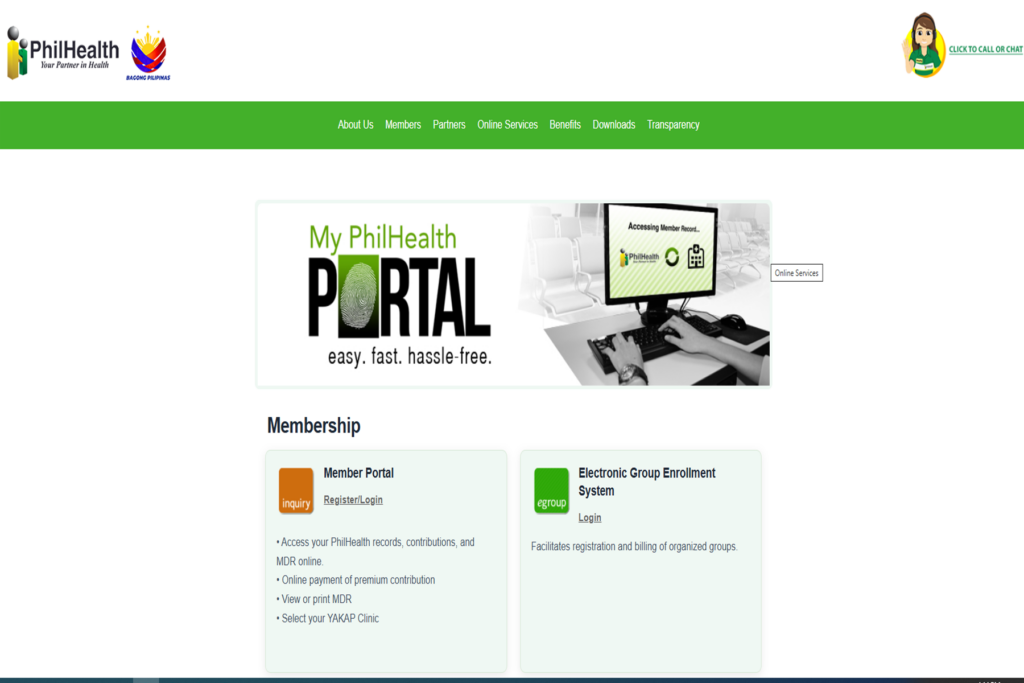
The 2026 Reality: Direct vs. Indirect Contributors
Before you gather your documents, you must first understand your membership category under the UHC Law. The PhilHealth Requirements Philippines 2026 differ drastically depending on how you earn your living. The government divides all Filipinos into two main categories:
1. Direct Contributors
These are members who have the capacity to pay premiums. If you fall into this category, you are legally mandated to pay monthly contributions based on your income. This includes:
- Employees in the formal sector (corporate workers, government employees).
- Self-earning individuals (freelancers, online sellers, business owners).
- Overseas Filipino Workers (OFWs) and seafarers.
- Professional practitioners (doctors, lawyers, engineers).
- Kasambahays (Domestic workers).
2. Indirect Contributors
These are members whose premiums are completely subsidized by the national government. They enjoy the exact same health benefits as Direct Contributors without having to pay monthly fees. This includes:
- Indigents identified by the DSWD (Listahanan).
- Senior Citizens (aged 60 and above) who are not currently employed.
- Persons with Disabilities (PWDs).
- Sangguniang Kabataan (SK) officials.
Core PhilHealth Requirements Philippines 2026 (For All Members)
Regardless of your employment status, every single applicant must prepare a basic set of documents. Keep these in a clean folder before heading to the Local Health Insurance Office (LHIO) or PhilHealth Express branch.
- PhilHealth Member Registration Form (PMRF): This is the master document. You must download the latest version of the PMRF, print it on A4 or Letter-sized paper, and fill it out completely using a black ballpoint pen. Write in ALL CAPS. Do not use correction fluid; if you make a mistake, print a new form.
- Two (2) Valid IDs: You must present primary government-issued identification. Acceptable IDs include your PhilSys National ID, Passport, Driver’s License, UMID, or PRC ID. Bring the original cards and clear photocopies.
- Two (2) Copies of 1×1 ID Picture: Must be recently taken (within the last 6 months) with a white background. Write your full name and signature at the back of the photos.
- Original PSA Birth Certificate: While not always strictly demanded if you have a primary ID, it is highly recommended to bring a photocopy of your PSA Birth Certificate to resolve any naming discrepancies instantly.
Specific Requirements Based on Your Category
In addition to the core documents, you must prove your specific membership category. Here are the additional PhilHealth Requirements Philippines 2026 you need depending on your status:
For Self-Employed and Freelancers
If you are transitioning from corporate employment to freelancing, you must update your status from “Employed” to “Self-Earning Individual.” If you fail to do this, your previous employer’s HR will still be tagged to your account, causing billing errors.
- Check the “Updating” box on the PMRF.
- Bring proof of income or your profession. This can be your DTI Business Registration, Mayor’s Permit, OR/CR of your transport vehicle (for drivers), or a notarized Affidavit of Income (for unregistered freelancers).
For Overseas Filipino Workers (OFWs)
OFWs are mandated to pay their PhilHealth premiums before they can secure their Overseas Employment Certificate (OEC) from the DMW/POEA.
- A copy of your valid Overseas Employment Certificate (OEC).
- A copy of your active Employment Contract.
- Valid Passport and Working Visa.
For Senior Citizens (Age 60+)
Under Republic Act 10645, all senior citizens are automatically covered. If your parents have never had a PhilHealth number, you can register them as Indirect Contributors.
- A copy of their Senior Citizen ID issued by the Office for Senior Citizens Affairs (OSCA) in their local municipality.
- A clear photocopy of their PSA Birth Certificate to verify their exact age.
The Most Critical Step: Declaring Your Legal Dependents
One of the greatest benefits of PhilHealth is that your monthly premium covers not just you, but your entire immediate family—at absolutely no extra cost. However, they are not automatically covered. You must formally declare them on your PMRF and submit proof of relationship.
If you fail to include your dependents in your PhilHealth Requirements Philippines 2026 application, they will be denied coverage during hospital admission. Here is who you can cover and what you need to submit:
- Legitimate Spouse: Must not be a PhilHealth member themselves. Requirement: Original PSA Marriage Certificate.
- Legitimate or Illegitimate Children: Must be below 21 years old, unmarried, and unemployed. Requirement: Original PSA Birth Certificate of each child.
- Children with Disabilities: Can be 21 years old or above, provided their physical or mental disability makes them totally dependent on you for support. Requirement: Medical Certificate detailing the disability and a PWD ID.
- Elderly Parents: Must be 60 years old or above and not a PhilHealth member. Requirement: Your PSA Birth Certificate (to prove they are your parents) and photocopies of their valid IDs showing their birthdates.
Once approved, ensure that their names appear on the back of your newly printed Member Data Record (MDR).
Step-by-Step Walk-in Registration Guide
While PhilHealth has an online portal, the fastest way to get your physical ID card and a printed, stamped MDR is through a walk-in application at a PhilHealth Express branch (usually located in major malls like SM or Robinsons) or a primary LHIO.
- Submit Documents: Present your completely filled-out PMRF and your supporting PhilHealth Requirements Philippines 2026 to the evaluator.
- Data Encoding: Wait for your name to be called. The officer will encode your data into the national database.
- Pay the Initial Premium (For Direct Contributors): If you are registering as Self-Employed or Voluntary, you will be directed to the cashier to pay your first quarterly or annual premium. (Keep the Official Receipt safe).
- Receive Your Documents: You will be handed your printed Member Data Record (MDR) and your PhilHealth ID card. Ensure you sign the ID card immediately.
The Mandatory PhilHealth Konsulta Registration
Getting your ID is only half the battle. To fully maximize your health coverage in 2026, you must register for the PhilHealth Konsulta (Konsultasyong Sulit at Tama) package.
This is a primary care benefit that provides all Filipinos with free medical consultations, health risk screenings, laboratory tests (like CBC, Urinalysis, Fasting Blood Sugar), and free prescription medicines for common illnesses like asthma, diabetes, and hypertension.
How to Register:
You must log in to your PhilHealth Member Portal online. Click on the “Konsulta Provider” module, and select a government health center, rural health unit, or participating private clinic nearest to your home. Once registered, you can immediately schedule an appointment for your free annual checkup.
Premium Contributions: What to Expect in 2026
Pursuant to the UHC Law schedule, the PhilHealth premium contribution rate has steadily increased over the years. By 2026, the premium rate is strictly enforced at 5.00% of your basic monthly income.
- The income floor (minimum computed salary) is strictly set at ₱10,000.
- The income ceiling (maximum computed salary) is capped at ₱100,000.
The Math Explained:
If you are an employee earning exactly ₱20,000 a month, your total monthly premium is ₱1,000 (which is 5% of ₱20,000). By law, this is split equally between you and your employer. Your HR will deduct ₱500 from your payslip, and the company will shoulder the remaining ₱500.
If you are a Self-Employed or Voluntary member earning ₱20,000, you are responsible for paying the full ₱1,000 per month. You can pay this monthly, quarterly, semi-annually, or annually via online banking or accredited payment centers like GCash and Maya.
WARNING: Beware of Facebook Fixers and Fake IDs
Because the lines at PhilHealth branches can sometimes be long, a massive syndicate of “Online Fixers” has erupted on Facebook. You will frequently see posts offering “Rush PhilHealth ID Printing – 1 Day Processing for ₱500. No Appearance Needed.”
This is a highly dangerous scam. Do not fall for it.
These fixers are not encoding your data into the national database. They simply ask for your name and photo, open Photoshop, and print a fake PVC ID card that looks highly realistic. When you attempt to use this fake ID during a hospital emergency, the billing department will check the PIN on their portal. When they discover your PIN does not exist, they will confiscate the card, deny your health coverage, and you may face criminal charges for presenting a falsified public document.
Registering for a PhilHealth PIN and getting your standard cardboard ID is 100% FREE at any official branch. Do not risk your medical safety net to save a few hours of lining up.
⚠ Important Notice and Disclaimer
RequirementPH is an independent, privately-run educational platform. Our core mission is to simplify complex government transactions and boost the financial and health literacy of every Filipino. We are NOT affiliated, associated, authorized, endorsed by, or in any way officially connected with the Philippine Health Insurance Corporation (PhilHealth) or any government entity.
While we research tirelessly to provide the most accurate PhilHealth Requirements Philippines 2026 guide, internal protocols, UHC Law premium adjustments, and exact Konsulta package benefits are subject to change based on official PhilHealth circulars. For official benefit computations, account troubleshooting, or to submit your PMRF, please transact directly through the official PhilHealth website or visit your nearest regional branch.
Your Next Steps & Related Guides
Securing your health insurance is a massive step in establishing your professional and personal safety net. If you are compiling your documents for a new job or organizing your family’s government records, check out our other highly detailed master guides to ensure your portfolio is bulletproof: